Compile and run
canoP is a computational fluid dynamic(CFD) code leveraging the p4est library for adaptive mesh refinement (AMR) to simulate multiphase flows. It currently implements:
a monofluid model: for a single phase,
a bifluid5eq model: for two phases with the so-called 5 equations homogeneous equilibrium model (see Padioleau 2021),
a bifluid7eq model: for two phases with the so-called 7 equations Baer-Nunziato model (see Chen 2019).
canoP can be used as a stand alone application (see below) or can be loaded as a library (see the app example) to add custom functions to a custom application.
Dependencies
The code relies on the p4est and lua libraries that are integrated as git submodules. The only other dependencies are MPI, HDF5, and CMake.
On MacOS with HomeBrew:
$ brew install cmake
$ brew install open-mpi
$ brew install hdf5-mpi
With Spack
$ git clone https://github.com/spack/spack.git
$ cd spack; source share/spack/setup-env.sh
$ spack install cmake
$ spack install openmpi
$ spack install hdf5+hl
#load the corresponding modules
On Ruche mesocentre (Paris-Saclay):
$ module load gcc/9.2.0/gcc-4.8.5
$ module load cmake/3.16.2/gcc-9.2.0
$ module load openmpi/4.0.2/gcc-9.2.0
$ module load hdf5/1.10.7/gcc-9.2.0-openmpi
The code is version controled with git on the Gitlab of Maison de la Simulation. To clone the project and its submodules:
$ git clone --recurse-submodules https://gitlab.maisondelasimulation.fr/canoP/canoP.git
Compilation
The app uses CMake for the compilation. So these simple commands will do:
$ mkdir build
$ cd build
$ cmake ..
$ make -j 4
This will produce two executables: canoP_2d and canoP_3d
for the two cases.
Running
After compilation the two executables can be found in build/src/. To
run the program, it is recommended to write a small configuration file with
the desired options. A full commented example is available in canoP/settings/.
To run it, go:
$ mpirun -np 4 ./src/canoP_2d settings_xxx.lua log_verbosity
The argument log_verbosity is optional, see SettingManager.cpp for available
options.
Visualization
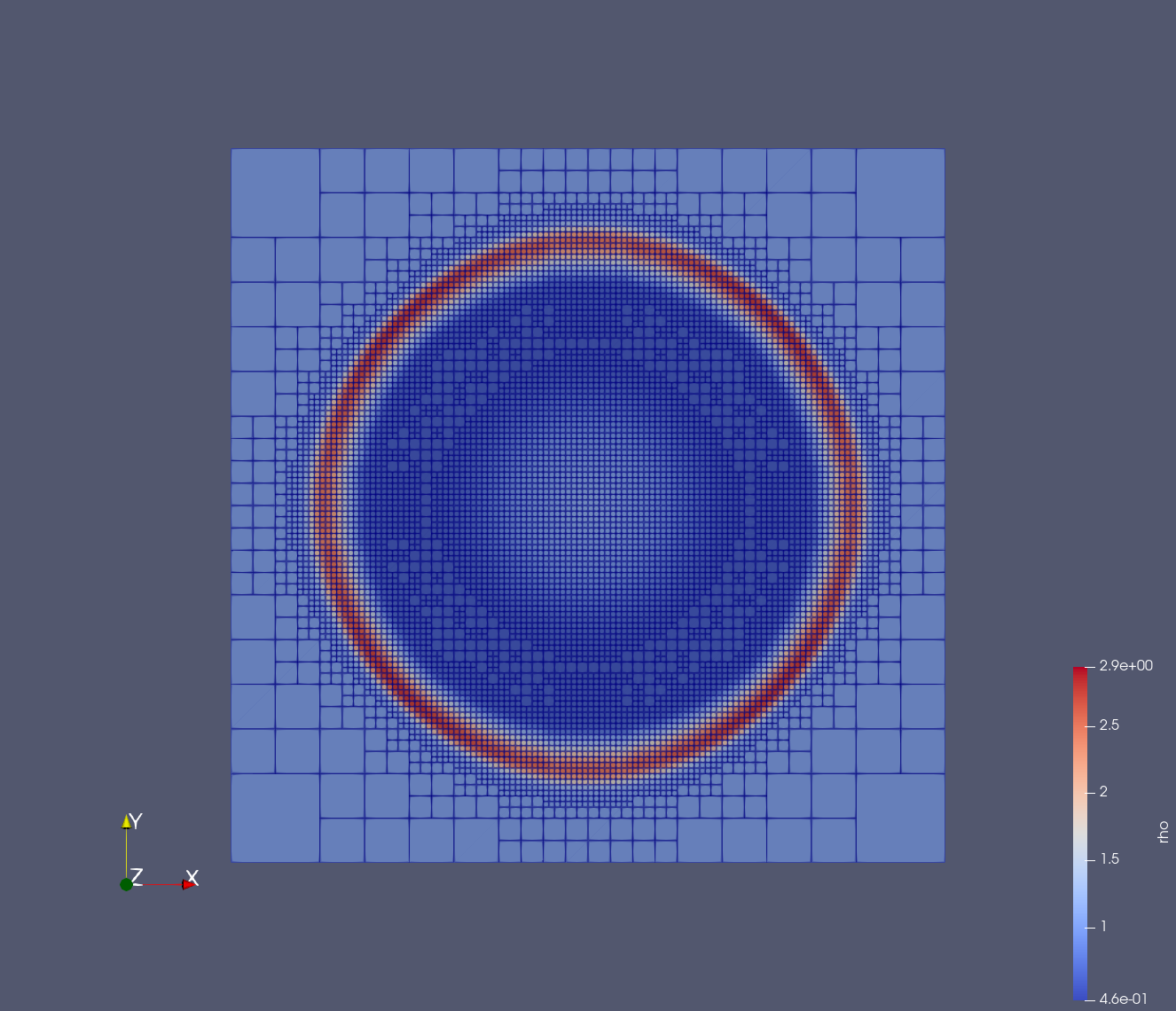
Outputs are written in hdf5 files with xdmf headers. Open the main file with paraview and get for example for a blast simulation: